Loko GPS Tracker App & Software Downloads

Choose the mobile navigation app for live tracking and offline maps, or the browser configurator for device settings and firmware maintenance.

Mobile: iOS, Android, and LineageOS. Browser: Chrome or Edge, on any desktop OS. Loko Ground connects to the mobile app by Bluetooth; the configurator connects to Loko hardware by USB.

Loko Configuration Tool

Browser-Based

Browser-based configurator for advanced device customization. Modify transmission parameters, device identifiers, and communication settings for Loko Air units.

Device Parameters Configure ID1, ID2, and transmission settings
Frequency Control Adjust radio frequency and intervals
Firmware Updates Keep your devices up to date

Runs in Chrome or Edge on macOS, Windows, and Linux — no installation.

System Requirements

Mobile App

  • iOS 13.0 or later
  • Android 8.0 or later
  • 50 MB free storage

Configuration Tool

  • Chrome or Edge browser
  • macOS, Windows, or Linux
  • USB-C data cable
  • No installation needed

About the Loko App

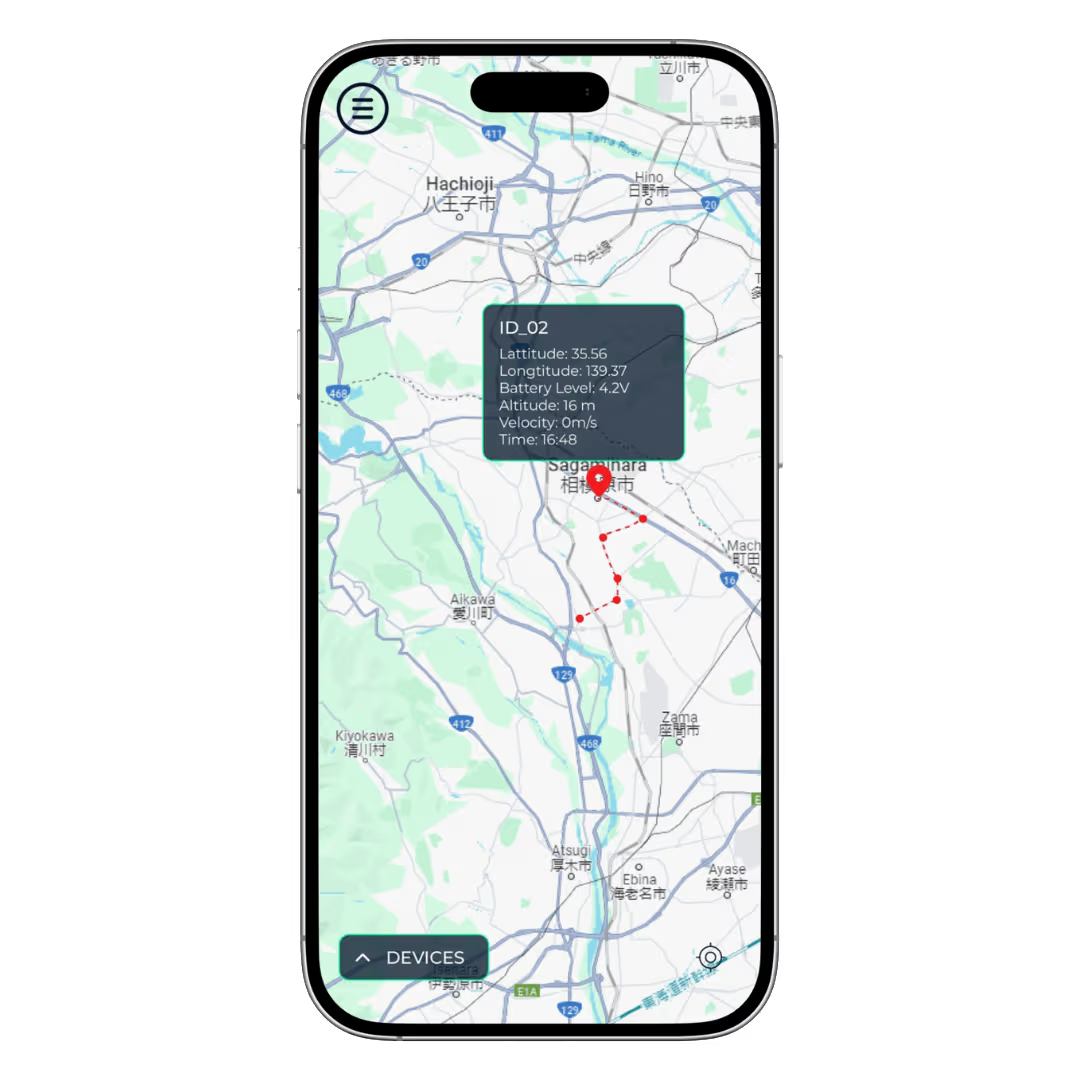
The Loko Navigation App is the companion app for the Loko GPS Tracker system. It connects to the Loko Ground Station via Bluetooth and displays live GPS positions of all paired Air Units on a map — all without any internet connection. The app stores tracking history on your device only; no data is sent to any server.

Offline maps Pre-download map tiles for use in areas without internet or mobile coverage. Works in remote fields, forests, and mountains.
Real-time position updates See the live GPS position of every tracked Loko Air Unit as updates arrive from the Ground Station.
Multi-tracker support Track up to 30 Air Units simultaneously on a single map view, each assigned a unique color and label.
Geofencing alerts Set a virtual perimeter around any location and receive an alert when a tracked device enters or leaves the zone.
Track history View the full route of any Air Unit and replay past tracking sessions with timestamps.
No subscription, no account All features are free and work completely offline. No cloud account or monthly fee required.

Loko Web Configuration Tool

The Loko web configurator connects to your Air or Ground Unit over USB from Chrome or Edge, and lets you set LoRa radio parameters, device IDs, GPS update intervals, and trace record periods. It also displays real-time serial output for diagnostics.

Nothing to install Runs in Chrome or Edge over Web Serial on macOS, Windows, and Linux. No subscription and no account required.
USB connection required Use a USB-C data cable (not a charging-only cable). Compatible with both Air Unit and Ground Unit firmware.
Open the configurator Go to the Loko Configuration Tool in Chrome or Edge and click Connect.

Frequently Asked Questions

Is the app free? Yes. The Loko app is free to download and has no in-app purchases or subscription fees. All features are included.
Does the app require an internet connection? No. Once map tiles are downloaded, the app works entirely offline. GPS tracking happens over LoRa P2P radio — no cellular or Wi-Fi network is needed.
Does the app collect my location data? No. Loko has a strict zero data-collection policy. All tracking data stays on your device. See the Privacy Policy for details.
Which Android versions are supported? The Loko app supports Android 8.0 (Oreo) and later. It also runs on LineageOS 15.1 and later for users who prefer open-source Android builds.
Can I use the app without a Loko Ground Station? The app requires a Loko Ground Station connected via Bluetooth to receive live GPS data from Air Units. The Ground Station is included in the Loko Starter Kit or available separately.